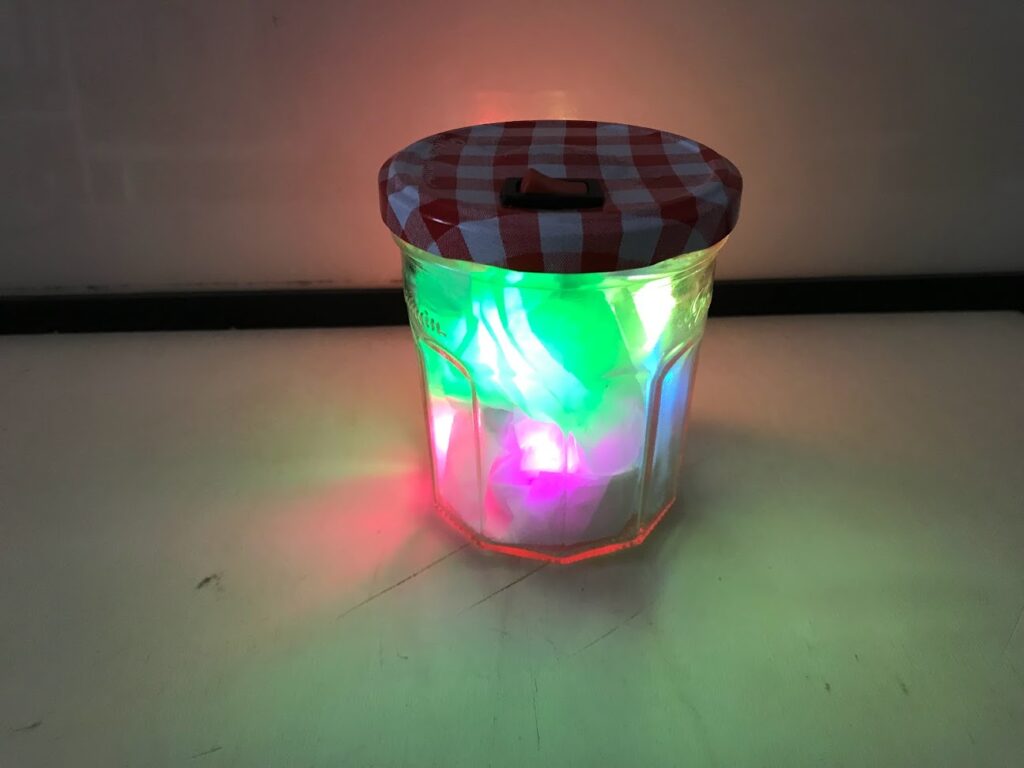
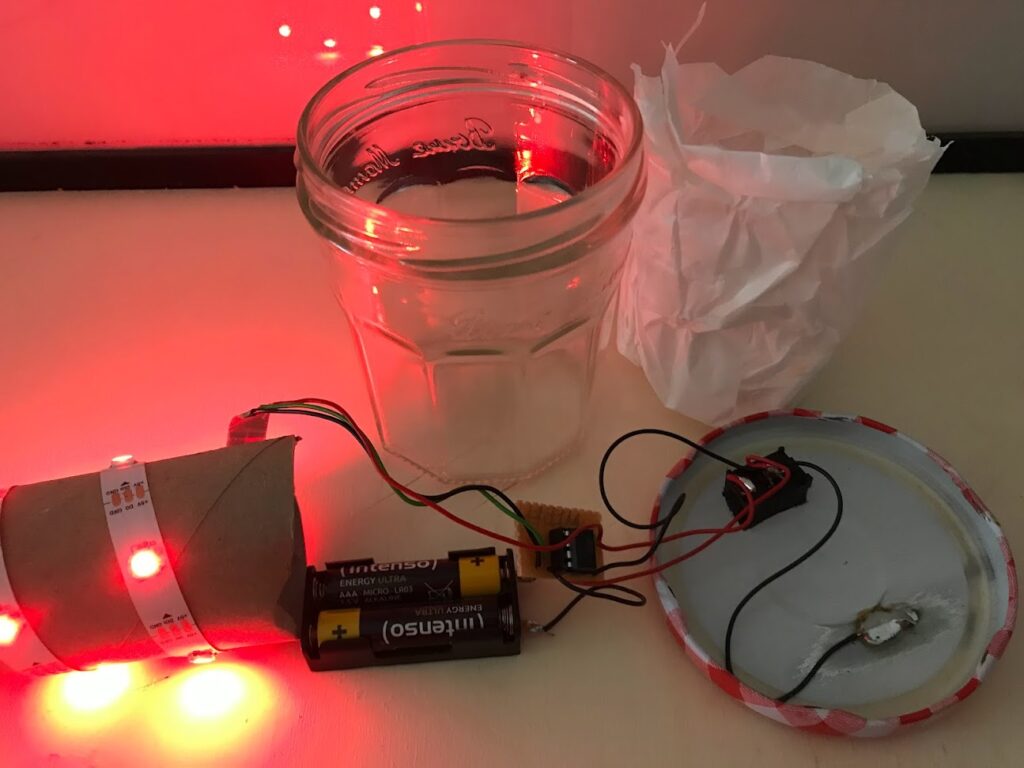
Ein kleines Tischlicht mit dem Attiny85, einem WS2812b LED-Streifen. Über den Deckel kann per Toch das Lichtprogramm geändert werden.
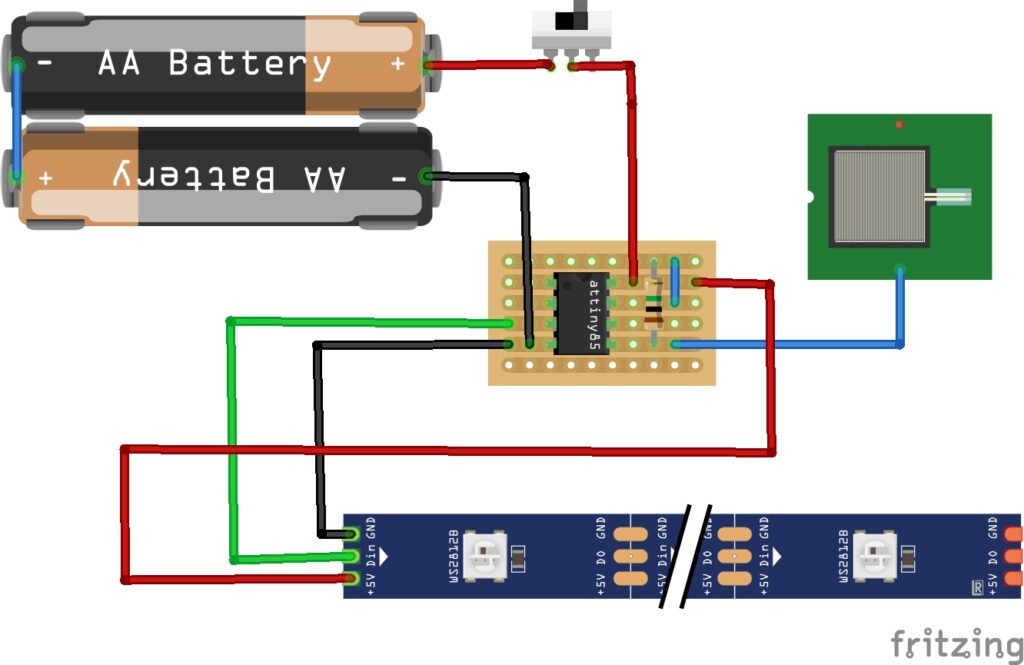
Hier der Code für die Arduino IDE
#include <tinyNeoPixel_Static.h> //Bibliothek für den Attiny
#include <CapacitiveSensor.h> //Bibliothek um einen kapazitiveb Tochsensor zu benutzen

#define PIXEL_PIN    4    // Digital IO pin des WS2812b LED-Streifens

#define PIXEL_COUNT 10  //Anzahl der LEDs


// Since this is for the static version of the library, we need to supply the pixel array
// This saves space by eliminating use of malloc() and free(), and makes the RAM used for
// the frame buffer show up when the sketch is compiled.

byte pixels[PIXEL_COUNT * 3];


tinyNeoPixel strip = tinyNeoPixel(PIXEL_COUNT, PIXEL_PIN, NEO_GRB, pixels);

bool newState = HIGH; //Variable um den Schaltzustand zu speichern
bool oldState = HIGH; //Variable um den Schaltzustand zu speichern
int showType = 0; //Variable um die einzelnen Leuchtmodi zu wechseln

int InLoopPress = 0; //Variable um Schaltzustand während eier Schleife zu ändern
CapacitiveSensor   cs_2_0 = CapacitiveSensor(2,0);        // 1M resistor between pins 7 & 5, pin 5 is sensor pin, add a wire and or foil if desired


void setup() {
  pinMode(PIXEL_PIN, OUTPUT);
  //strip.begin();
  strip.show(); // Initialize all pixels to 'off'
  cs_2_0.set_CS_AutocaL_Millis(0xFFFFFFFF);
}

void loop() {
 // Start Effect
  startShow(showType);
  oldState = newState;
  checkInLoopPress(); //Prozedur um Tochaktivität während einer Schleife zu erkennen

}

// Checks if button was pressed and changes variable to go to next effect
void checkInLoopPress() {
   long touch =  cs_2_0.capacitiveSensor(30); //ms, je kleiner desto empfindlicher
     if (touch > 50){newState = LOW;}
    else {newState = HIGH;}
       if (newState == LOW && oldState == HIGH) {
      InLoopPress = 1;
      showType++;
      // Change this according to the number of effects
      if (showType > 10)
        showType=0;
     //need this below?
     oldState = newState;

    }
}
void startShow(int i) {
  switch(i){
    case 0: rainbow(50);
            break;
    case 1: colorWipe(strip.Color(255, 0, 0), 50);  // Red
            break;
    case 2: colorWipe(strip.Color(0, 255, 0), 50);  // Green
            break;
    case 3: colorWipe(strip.Color(0, 0, 255), 50);  // Blue
            break;
    case 4: scanner(strip.Color(255,0,0),50); //rotes Lauflicht
            scanner(strip.Color(0,0,255),50); //blaues Lauflicht
            break;
    case 5: scanner(strip.Color(0,255,0),50); //grünes Lauflicht
            scanner(strip.Color(0,0,0),50); //grünes Lauflicht
            break;
    case 6: colorWipe(strip.Color(127, 0, 127), 50);  // violet
            break;
    case 7: rainbowCycle(20);
            break;
    case 8: colorWipe(strip.Color(127, 127, 127),50); //weiß
            break;
    case 9: colorWipe(strip.Color(255,255,0),50);//Yellow
            break;
    case 10 : colorWipe(strip.Color(255,90,0),50);//Orange
            break;

  }
}

// Fill the dots one after the other with a color
void colorWipe(uint32_t c, uint8_t wait) {
  for(uint16_t i=0; i<strip.numPixels(); i++) {
    strip.setPixelColor(i, c);
    strip.show();
    delay(wait);
  }
}

void rainbow(uint8_t wait) {
  uint16_t i, j;

  for(j=0; j<256; j++) {
    for(i=0; i<strip.numPixels(); i++) {
      strip.setPixelColor(i, Wheel((i+j) & 255));
    }
    strip.show();
    delay(wait);
      // Check for inloop button press
    oldState = newState;
    checkInLoopPress();
    if (InLoopPress == 1) {
        InLoopPress = 0;
        break;
    }
  }
}

// Slightly different, this makes the rainbow equally distributed throughout
void rainbowCycle(uint8_t wait) {
  uint16_t i, j;

  for(j=0; j<256*5; j++) { // 5 cycles of all colors on wheel
    for(i=0; i< strip.numPixels(); i++) {
      strip.setPixelColor(i, Wheel(((i * 256 / strip.numPixels()) + j) & 255));
    }
    strip.show();
    delay(wait);
     // Check for inloop button press
    oldState = newState;
    checkInLoopPress();
    if (InLoopPress == 1) {
        InLoopPress = 0;
        break;
    }
  }
}

void scanner(uint32_t c,uint8_t wait) {
        for(int i=0; i< strip.numPixels(); i++) {
                          // Check for inloop button press
    oldState = newState;
    checkInLoopPress();
    if (InLoopPress == 1) {
        InLoopPress = 0;
        break;
                }


            strip.setPixelColor(i,c);
            strip.show();
            delay(wait);
        }
        for(int i=strip.numPixels(); i>0; i--) {
                         // Check for inloop button press
    oldState = newState;
    checkInLoopPress();
    if (InLoopPress == 1) {
        InLoopPress = 0;
        break;
                }

            strip.setPixelColor(i,c);
            strip.show();
            delay(wait);
        }
}


// Input a value 0 to 255 to get a color value.
// The colours are a transition r - g - b - back to r.
uint32_t Wheel(byte WheelPos) {
  WheelPos = 255 - WheelPos;
  if(WheelPos < 85) {
    return strip.Color(255 - WheelPos * 3, 0, WheelPos * 3);
  }
  if(WheelPos < 170) {
    WheelPos -= 85;
    return strip.Color(0, WheelPos * 3, 255 - WheelPos * 3);
  }
  WheelPos -= 170;
  return strip.Color(WheelPos * 3, 255 - WheelPos * 3, 0);
}